 webpins
How to find and remove duplicate photos
By webpins.net, updated on
Duplicate photos take up space, get in the way when you organize and multiply with every backup. iPhone and Android already have tools to find them; on a computer, the simplest way is to gather your photos in a place that refuses duplicates. This guide shows all three, and what each one can, or cannot, recognize.
Why duplicate photos appear
- The same photo copied from several places: from the phone to the computer, again to a drive, again to another computer.
- Backups restored more than once, or old backup folders mixed with current ones.
- Photos received in messaging apps that you took yourself and sent to someone.
- Repeated downloads of the same shared album, which get names like “photo (1).jpg”.
Identical copy or similar photo?
It is worth telling two cases apart, because tools treat them differently:
- Identical copy: the same file, byte for byte, even under another name or date. It is a true duplicate and can be deleted without losing anything.
- Similar photo: the same scene in another file. A photo that went through a messaging app, for example, nearly always comes back smaller and compressed: it looks the same, but it is another file, with less quality. Photos taken in a burst are similar too, not identical.
Before deleting a similar photo, compare the two and keep the one with the higher resolution. When in doubt, keep the one that came straight from the camera.
On iPhone
Since iOS 16, the Photos app finds duplicates on its own and gathers them in a collection:
- Open the Photos app and tap Collections.
- Tap Utilities, then Duplicates. If the collection does not appear, your iPhone found none.
- Tap Merge on a set. The iPhone keeps the highest-quality version, combines the details of the others and moves the rest to Recently Deleted, where you can still recover them for a while.
On Android
The Files by Google app has a duplicate cleanup:
- Open Files by Google, tap the menu and then Clean.
- On the Duplicate files card, tap Select files.
- Pick the copies and move them to the trash. The app marks one of them as Original: that is the one to keep.
On a computer, merging without repeats
Windows and macOS have no duplicate search in their file browsers. Cleanup programs exist, but they need installing and access to your whole drive. For photos there is a simpler way: instead of hunting copies afterwards, gather everything in a place that refuses duplicates.
That is what webpins does. It is a free gallery, with no sign-up, that keeps photos in your browser, and it recognizes each picture by its contents: it computes a fingerprint of the file and compares it with the ones already in the gallery. The same photo under another name, with another date or from another folder does not come in again.
- Open webpins and, in Add photos, choose Add a folder…. Bring in your first photo folder.
- Repeat with the other folders, USB sticks and old backups. You can even bring the same folder twice: nothing repeats, not even within one folder.
- At the end of each import, the gallery tells you how many photos were added and how many “were already in the gallery”.
- With everything gathered and no duplicates, keep a clean copy: a
.zipbackup, or automatic saving to a new folder on your computer (in Chrome or Edge), with a subfolder per album.
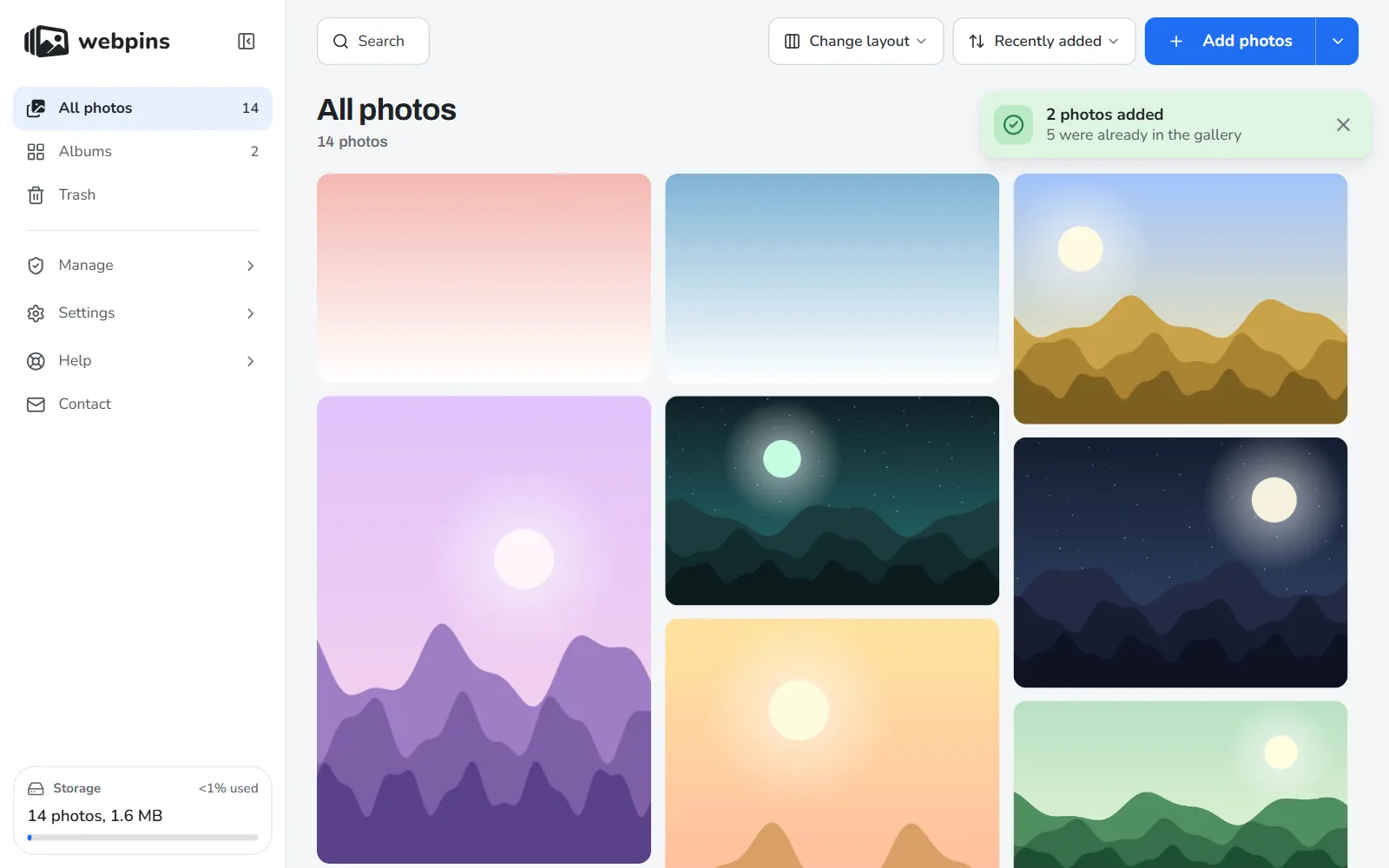
Two details. Similar but not identical photos, such as the compressed version of a photo, are different files and do come in; those you compare and delete by hand. And a photo in the trash does not count as a duplicate: adding the file again brings it back.
Comparison
| Where | What it finds | What happens to the copy |
|---|---|---|
| iPhone (Photos) | Identical and near-identical copies in the library | Merged; the rest goes to Recently Deleted |
| Android (Files by Google) | Identical files on the device | You choose and move them to the trash |
| webpins (browser) | Identical copies, by contents, when adding | Never comes in; the notice counts them |
Frequently asked questions
Do I lose anything by deleting duplicate photos?
No, if it is an identical copy: the file that stays is the same. Be careful with photos that are only similar, which may differ in quality. When in doubt, keep the larger one.
Why was a photo I received in a message not recognized as a duplicate?
Because messaging apps usually compress photos. The photo you received looks the same, but it is another, smaller file. Only identical copies are recognized by their contents.
How do I know how many duplicates I had?
In webpins, the notice at the end of each import says how many “were already in the gallery”. Add up the numbers for each folder you brought in.
Do I need to install a program to find duplicates on my computer?
Not necessarily. Gathering your photos in a gallery that refuses duplicates, such as webpins, takes care of identical copies without installing anything. If you prefer a program, download it only from its maker's official site.
Sources
- Apple: merge duplicate photos and videos on iPhone
- Google: delete duplicate files in Files by Google
- MDN: the browser function that computes a file's fingerprint
About this guide: written by the people who make webpins.net. What it says about webpins was checked on the site itself on the date of the last update; for the other services, what each of them states applies (see the sources above). Spotted something out of date? Write to hello@webpins.net.
Gather your photos without repeating any: open the gallery with no sign-up, and bring in your folders.
Open webpins